Keyword VS Tool: Ultimate Guide to Beating Competitors in On-Page SEO
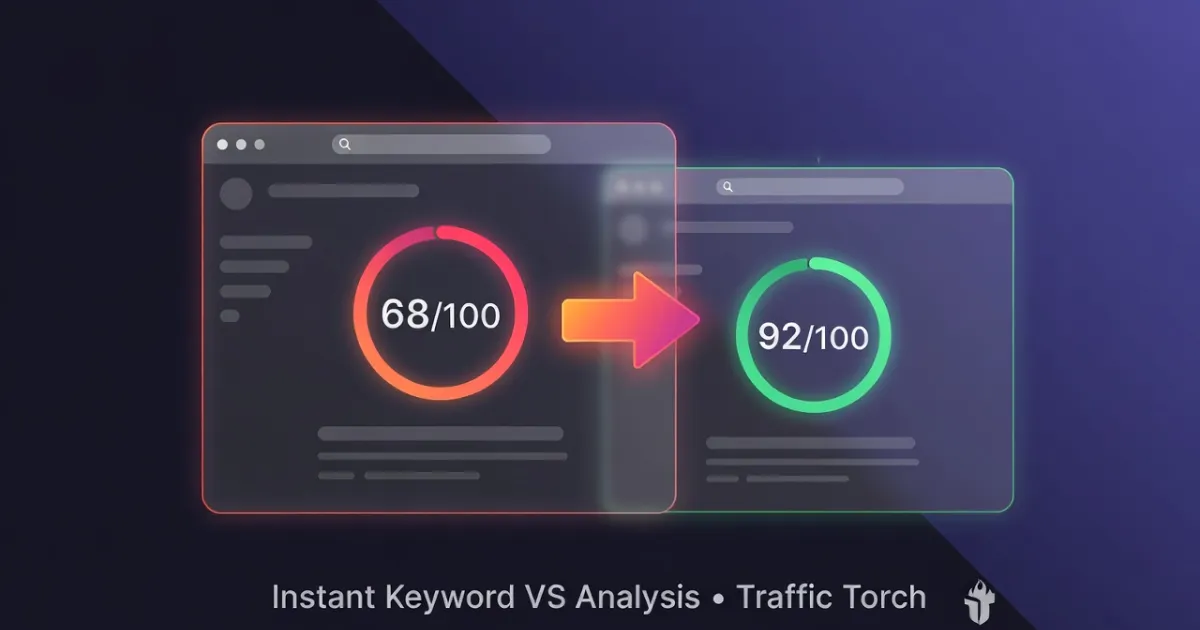
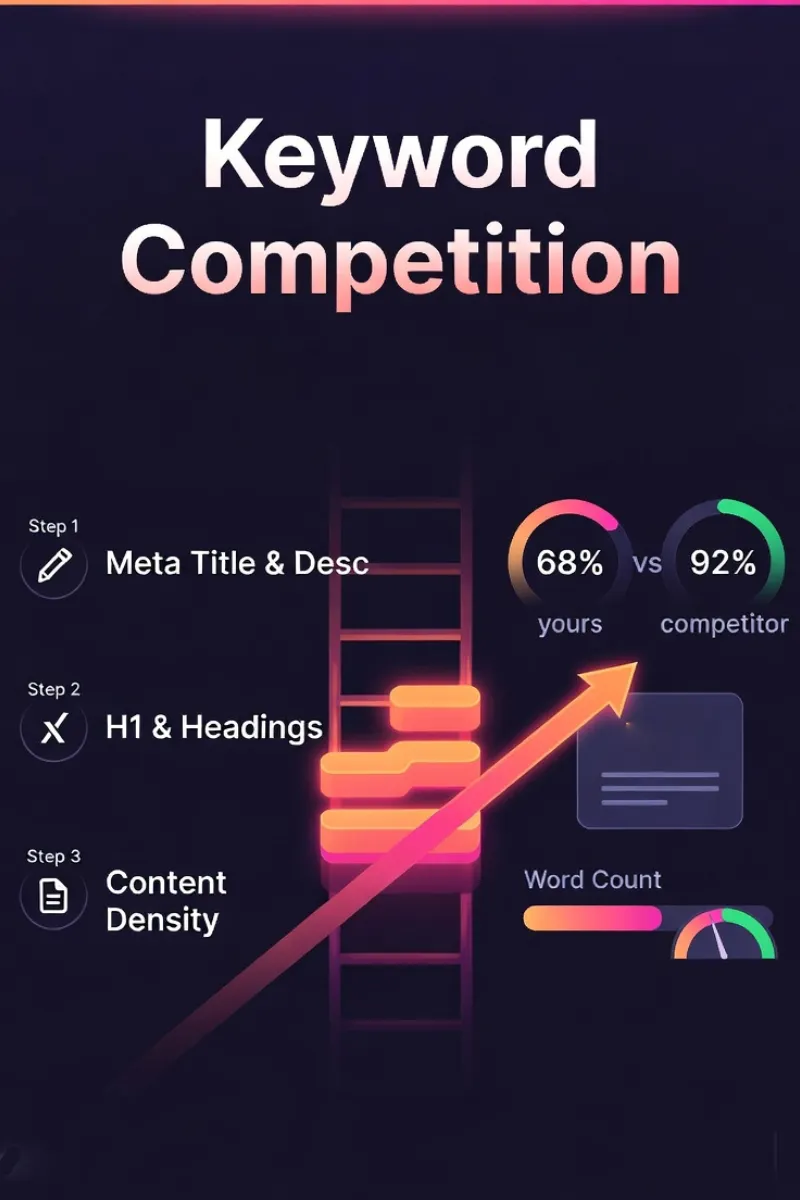
Want to know exactly why your page ranks below your competitors and how to fix it fast? Traffic Torch's free Keyword VS Tool runs a hybrid comparison: 70 deterministic points across 7 on-page modules (meta, headings, content depth, image alts, anchors, URL/schema, technical SEO) plus 30 AI semantic points from a Cloudflare Workers AI audit of search intent, entity coverage, AEO answerability, and E-E-A-T — scored independently for each page.
In under 90 seconds you get side-by-side visual scores, priority fixes, competitive gaps, and realistic traffic uplift projections. The deterministic layer runs entirely client-side; the AI semantic layer sends only a text summary of each page to our Cloudflare Workers AI endpoint. This ultimate guide explains every module's logic (based on 2026 SEO best practices), why each factor still matters for Google rankings and user experience, and how to close the gaps to outrank the competition.
Test your keyword competition score.
Run an instant hybrid audit with Traffic Torch.
Audit SEO Keywords score vs competitor →Frequently Asked Questions
What exactly does the Keyword VS Tool compare? ▼
It runs a hybrid side-by-side comparison between your page and any competitor page for a specific keyword. Each page is scored on:
- 70 deterministic points across 7 modules: Meta Title & Description, H1 & Headings, Content & Readability, Image Alts, Anchor Text, URL & Schema, Technical SEO.
- 30 AI semantic points from a Cloudflare Workers AI audit that evaluates search intent, entity coverage, AEO answerability, and E-E-A-T signals independently for each page.
You get instant scores, a winner verdict, gap analysis, priority fixes, and projected uplift — all client-side for the deterministic layer.
How does the AI semantic comparison work? ▼
The tool extracts a compact text summary of each page (title, meta description, H1, headings, image alt text, schema types, and first ~3,500 characters of body content) and sends both to our Cloudflare Workers AI endpoint running GLM-4.7-Flash.
Each page is audited independently and in parallel. The model predicts search intent, generates the entities and questions a top-ranking page would cover, and returns two separate semantic scores. Results are cached against a content hash for 7 days, so identical comparisons are instant while any page edit produces a fresh analysis.
How accurate is the content comparison? ▼
The deterministic layer extracts main content from each page (removing nav, footer, sidebars, scripts, cookie banners) and compares word count, average sentence length, and paragraph count.
Keyword density is no longer calculated — modern search engines use BERT and MUM to evaluate meaning, not repetition. The AI semantic layer instead scores how completely each page covers the topic: expected entities, expected questions, AEO answerability, and E-E-A-T signals. That replaces density with something that actually correlates with rankings in 2026.
Does the tool work on mobile pages or just desktop? ▼
Yes — fully mobile-first.
The analysis fetches the live rendered page (via proxy), so it sees exactly what Googlebot and mobile users see. This includes responsive content, mobile-specific headings and alts. The interface itself is responsive, PWA-ready, and works great on phones and tablets.
Why these 8 modules, aren't there more on-page factors? ▼
These 8 modules cover the controllable on-page factors that consistently correlate with rankings in 2026: Meta Title & Description, H1 & Headings, Content & Readability, Image Alts, Anchor Text, URL & Schema, Technical SEO (viewport, robots, html lang, Open Graph), plus the AI Semantic Audit (intent, entities, AEO, E-E-A-T).
Other factors (page speed, mobile usability, HTTPS, backlink profile) are important but either technical, off-page, or not keyword-specific. Keyword VS focuses on what you can fix today to close competitive gaps for a target phrase.
How long until I see ranking improvements after fixing these? ▼
Typical real-world 2026 timeline:
- Meta title/desc + H1 fixes → 1–4 weeks.
- Content expansion + entity coverage → 4–12 weeks.
- Image alts + internal anchors → 2–8 weeks.
- URL/schema improvements → 2–6 weeks (especially rich results).
Faster with moderate competition and decent domain authority. Combine with fresh content and crawl requests in Google Search Console for quickest results.
Can I use this for local SEO or e-commerce product pages? ▼
Yes — very effectively.
For local: compare against top-ranking local competitors using geo-specific phrases (e.g. "best coffee Sydney"). For e-commerce: test product pages vs category leaders using exact product keywords. Schema detection is especially valuable for Product, LocalBusiness, and FAQPage rich results, and the AI semantic audit picks up intent mismatches that pure keyword tools miss.
Meta Title & Description
What is Meta Title & Description and Its History?
The meta title (the clickable blue link in Google results) and meta description (the short summary text below it) are the first things searchers see about your page.
Bold fact: These two elements still drive ~30–50% of click-through rates in 2026, even with AI Overviews rewriting snippets more often.
History in brief:
- 1990s: Early search engines used <title> as the main display label.
- 2004–2010: Meta description became critical for CTR after Google started showing it prominently.
- 2012–2014: Google began auto-rewriting poor titles/descriptions → forced SEOs to write better.
- 2023–2026: With SGE/AI Overviews, Google rewrites ~60–80% of descriptions, but strong keyword-front-loaded titles still win.
How Meta Title & Description is Compared in Keyword VS Tool?
The tool uses client-side JavaScript to fetch both pages via a privacy-preserving proxy, then reads the <title> tag and <meta name="description" content="..."> on each page.
Scoring logic (from current script.js?v=1.1, module weight 14 pts):
- Word-boundary keyword match on title text (4 pts if keyword present).
- Title length check: 30–60 characters is optimal (3 pts).
- Prominence bonus: keyword near the start of the title (1 pt).
- Word-boundary keyword match on meta description (3 pts).
- Description length check: 120–160 characters is optimal (2 pts).
- CTR signal check: presence of action words like learn, discover, get, try, explore (1 pt).
- Direct side-by-side comparison: your score vs competitor across the same checks.
→ Word-boundary matching avoids false positives that older substring matching produced. Keyword prominence matters more than repetition in 2026.
Why Meta Title & Description Still Matters for SEO and UX in 2026?
Even with AI rewriting snippets, the original title remains one of the strongest ranking signals.
Key reasons:
- Relevance signal: Google uses title keywords heavily to understand page topic.
- CTR impact: Keyword in first 3–5 words + compelling benefit can increase clicks 20–40%.
- Mobile SERP real estate: Titles truncate at ~60 characters, front-load your main phrase.
- AI Overview eligibility: Strong titles help Google decide whether to cite your page.
- User trust & expectation: Accurate, keyword-rich titles reduce bounce rate.
Google recommends keeping titles under 60 characters and descriptions under 155–160 characters for best display — see the latest guidance on title links and snippets.
Quick Wins Checklist
- Keep title under 60 characters.
- Place target keyword as early as possible (ideally first 2–3 words).
- Meta description: 120–160 characters, include keyword naturally + strong CTA.
- Avoid clickbait and match user intent exactly.
H1 & Headings
What is H1 & Headings and Its History?
The H1 is the main headline of your page. Usually the largest, most prominent text that tells both users and search engines what the page is about.
Key point in 2026: A single H1 with the target keyword remains a meaningful topical relevance signal, and supporting H2s that reinforce the topic help search engines and AI understand page depth.
Historical evolution:
- 1993: HTML 1.0 introduces heading tags (H1–H6) for document structure and accessibility.
- 2003–2004: Google's Florida update begins penalizing keyword-stuffed headings.
- 2011–2013: Panda & Hummingbird shift emphasis to natural, user-first headings.
- 2021+: Core Web Vitals + mobile-first indexing make clear heading hierarchy critical for UX and voice/search snippet eligibility.
- 2024–2026: AI Overviews and voice assistants (Google Assistant, Gemini) heavily rely on H1 + early H2s to generate summaries.
How H1 & Headings is Compared in Keyword VS Tool?
The tool fetches both pages (yours + competitor) via proxy, then checks the H1 count, whether the target keyword appears in the H1, and whether at least one H2 reinforces the topic with the keyword or a close variant.
Scoring logic (from current script.js?v=1.1, module weight 8 pts):
- Exactly one H1 present on the page (2 pts). Multiple H1s are flagged and scored lower.
- Word-boundary keyword match in the H1 (4 pts).
- At least one H2 contains the keyword or a close semantic variant (2 pts).
- Side-by-side comparison: your H1 and H2 coverage vs competitor.
→ Word-boundary matching means the keyword only counts when it appears as a complete phrase, not inside another word. H2 reinforcement is what distinguishes a well-structured page from a keyword-stuffed one.
Why H1 & Headings Still Matters for SEO and UX in 2026?
Pages with the primary keyword in the H1 consistently rank higher in competitive niches (Ahrefs 2025 data), and pages with reinforced H2s tend to capture more AI Overview citations.
Core reasons it still matters:
- Topical authority signal: Google treats H1 as the page's primary subject declaration.
- Featured snippet & AI Overview eligibility: Most snippets pull directly from H1 + first paragraph + reinforcing H2s.
- User experience & scannability: Clear H1 reduces bounce rate and increases time-on-page (especially mobile).
- Voice search alignment: People speak queries like headlines, matching H1 improves assistant answers.
- Accessibility win: Screen readers announce H1 first → huge for inclusive design.
Quick Optimization Checklist
- Use one H1 per page, never multiple.
- Front-load the target keyword naturally (first 3–6 words ideal).
- Keep it compelling and benefit-focused (not just keyword stuffing).
- Aim for 20–70 characters, readable at a glance on mobile.
- Support with 2–4 keyword-relevant H2s in the first 300–500 words.
Content & Readability
What is Content & Readability and Why Density Was Dropped?
For over a decade, SEOs chased a "1–2% keyword density" target. That metric is dead. Google has repeatedly confirmed that it evaluates semantic meaning, intent satisfaction, and topical completeness — not how many times you repeat a phrase. When you chase a density percentage, you either under-write (missing subtopics) or over-write (unnatural repetition that hurts readability).
What this module measures instead: content depth (word count), average sentence length, and paragraph count — three signals that consistently correlate with rankings because they indicate a page that fully answers the query and reads well.
Brief historical timeline of why density died:
- 1998–2005: Keyword density was king, 5–10% often recommended (early tools like WebPosition Gold).
- 2011–2012: Panda update punishes thin & over-optimized content.
- 2013: Hummingbird introduces semantic understanding, density becomes secondary to meaning.
- 2019–2021: BERT & MUM make natural language + depth far more important than exact percentages.
- 2023–2026: Helpful Content & AI Overviews reward comprehensive, original content — and content depth is now scored alongside semantic coverage in the AI Semantic Audit module.
How Content & Readability is Compared in Keyword VS Tool?
The tool extracts main content from each page (excluding nav, footer, sidebars, scripts, and cookie banners), counts words, calculates average sentence length, and compares depth and readability side-by-side. No keyword density is calculated.
Scoring logic (from current script.js?v=1.1, module weight 14 pts):
- Content depth: up to 8 pts, scaling from 300 words (1 pt) to 1,500+ words (6 pts), with a readability bonus (2 pts).
- Readability: up to 6 pts for a well-structured page — 5+ paragraphs (2 pts), average sentence length ≤ 20 words (2 pts), 3+ H2 subheadings (2 pts).
- Content under 300 words is flagged as thin content and suggests expansion to 800+.
- Direct comparison: your word count, average sentence length, and paragraph count vs competitor.
→ This combined depth + readability approach aligns with 2026 priorities: long, well-structured content that fully answers the query beats mechanical keyword repetition.
Why Content & Readability Matters for SEO and UX?
Top-ranking pages for competitive keywords average 1,500–3,000+ words, but length alone is not enough — readability and structure decide whether users stay (Backlinko / Semrush 2025 studies).
Core reasons both depth and readability matter:
- Topical authority & EEAT: Depth shows expertise and satisfies Google's "satisfying intent" requirement.
- AI Overview & snippet eligibility: Comprehensive, well-structured pages are far more likely to be cited in SGE / AI answers.
- Dwell time & engagement: Readable content keeps users longer → strong behavioural ranking signal.
- Reduces pogo-sticking: Short sentences and clear paragraphs make answers easy to find.
- Mobile UX: Well-structured long content with subheadings performs better on small screens.
Google's official advice on creating helpful content and web.dev heading best practices still applies in 2026.
Quick Wins Checklist for 2026
- Aim for 1,200–2,500+ words of original, valuable content for most competitive topics.
- Keep sentences under 20 words on average — readability beats word count padding.
- Break content into 5+ paragraphs and use 3+ H2 subheadings in the first 1,000 words.
- Add supporting elements: FAQs, tables, lists, examples, stats, comparisons.
- Focus on user-first depth. Write for humans, not search engines.
Check your SEO keywords vs competition.
Run an instant hybrid analysis on Traffic Torch.
Free SEO Keywords competition auditor →Image Alt Text
What is Image Alt Text and Its History?
Alt text (the alt attribute on <img> tags) describes the image content to screen readers, search engines, and browsers when the image fails to load.
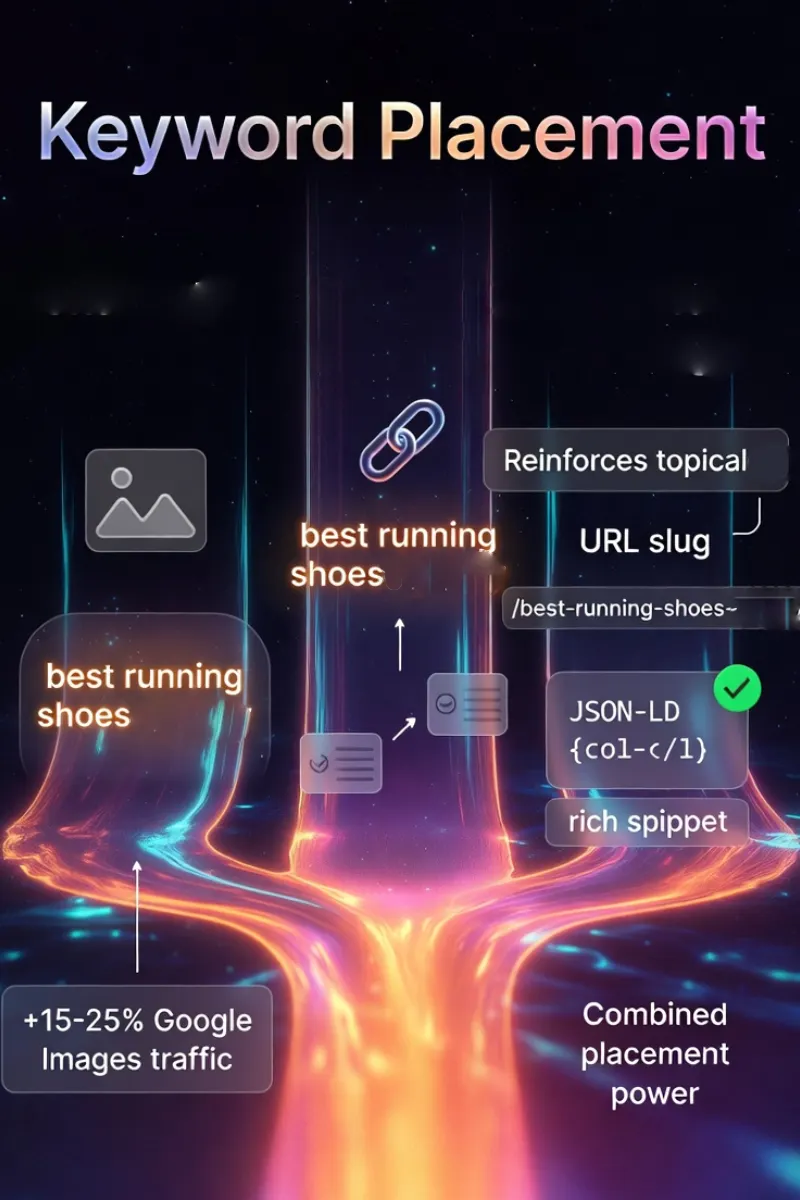
2026 importance: Alt text is no longer just an accessibility feature — it's a direct ranking signal for Google Images (which drives 20–30% of total search traffic in many niches) and helps AI visual understanding systems.
Brief historical context:
- 1995: HTML 2.0 introduces alt attribute primarily for accessibility.
- 2001–2008: Google launches Image Search → alt text becomes an early SEO lever.
- 2010–2015: Over-optimization penalties → Google starts penalizing keyword-stuffed alts.
- 2018+: Mobile-first indexing + Core Web Vitals make descriptive, natural alt text essential.
- 2023–2026: Google Lens, Multimodal AI, and visual search heavily weigh accurate alt text + surrounding context.
How Image Alt Text is Compared in Keyword VS Tool?
The tool scans every <img> tag on both pages (yours and competitor's) after fetching via proxy, and compares how many images have any alt text and how many have keyword-relevant alt text.
Scoring logic (from current script.js?v=1.1, module weight 6 pts):
- Counts total images, images with any alt text, and images with keyword-relevant alt text on each page.
- Alt coverage ratio: scaled 0–4 pts based on what percentage of images have alt text.
- Keyword bonus: +2 pts if at least one image alt contains the target keyword.
- If the page has no images at all, module scores 50/100 as a neutral baseline.
- Direct comparison: your alt coverage vs competitor's.
→ Focus is on coverage ratio and keyword relevance rather than forcing every image to contain the keyword. This aligns with Google's natural-language preference in 2026.
Why Image Alt Text Matters for SEO and UX?
Optimized alt text can drive 10–25% more traffic from Google Images alone (Google's own Image SEO data + Semrush studies 2025).
Key reasons it remains essential:
- Google Images rankings: Primary text signal for visual search results.
- Multimodal AI understanding: Helps Google Lens / Gemini describe and match images to queries.
- Accessibility (WCAG 2.2 AA): Critical for screen reader users, legal/compliance factor for many sites.
- Fallback UX: Displays when images fail to load (slow connections, ad blockers).
- Relevance reinforcement: Adds keyword context without visible text stuffing.
Write descriptive alt text for meaningful images and use empty alt="" for decorative ones — follow Google's Google Images SEO best practices and the W3C alt text tutorial.
Quick Wins Checklist for 2026
- Write descriptive, natural alt text — 5–15 words ideal.
- Include target phrase naturally in 1–3 key images (hero, infographic, product shots).
- Avoid keyword stuffing, never repeat the phrase in every alt.
- Decorative images: use
alt=""(empty) to signal they're non-content. - Test with screen readers + Google Images "reverse search" to verify.
Anchor Text
What is Anchor Text and Its History?
Anchor text is the visible, clickable text inside a hyperlink (<a> tag), it tells users and search engines what the linked page is about.
2026 status: Exact-match anchor text still passes relevance signals (especially internal links), but natural, branded, and partial-match anchors dominate due to over-optimization penalties.
Historical evolution:
- 1998–2009: Anchor text was one of Google's most powerful ranking signals (PageRank era).
- 2012: Penguin update heavily penalizes exact-match anchor spam.
- 2016–2020: Shift to natural variation + branded anchors (e.g., "click here", site name, partial phrases).
- 2021+: Helpful Content & Core Updates emphasize internal linking for topic clusters and user navigation.
- 2024–2026: Internal anchor text helps AI understand site structure and topical relationships.
How Anchor Text is Compared in Keyword VS Tool?
The tool scans all <a href> tags on both pages, filters to internal links only (same-hostname), and checks whether any internal anchor text contains the target keyword.
Scoring logic (from current script.js?v=1.1, module weight 6 pts):
- Counts internal links only — external links, mailto:, tel:, and javascript: are excluded.
- Volume score: up to 3 pts based on number of internal links (full at ~9+ internal links).
- Keyword bonus: +3 pts if at least one internal anchor contains the target keyword (word-boundary match).
- Direct comparison: your internal link count and keyword-relevant anchors vs competitor.
→ The tool focuses on internal anchors only because external anchor text is largely outside your control and belongs to the backlink profile, not on-page optimization.
Why Anchor Text Matters for SEO and UX?
Strategic internal anchor text improves crawl efficiency, topical flow, and user navigation — this often correlates with 15–30% deeper site engagement (Moz & Ahrefs internal linking studies 2025).
Core reasons it remains important:
- Internal link equity flow: Passes PageRank-like signals to reinforce topic clusters.
- Topical relevance signal: Helps Google understand relationships between pages on your site.
- User navigation & UX: Descriptive anchors reduce clicks to wrong pages → lower bounce rate.
- Crawl budget optimization: Clear anchors help bots discover and prioritize important content.
- AI site understanding: Supports Gemini / SGE in mapping site structure for better answers.
Use descriptive, natural anchor text for internal links to help both users and crawlers — see Google's latest recommendations on crawlable links.
Quick Wins Checklist for 2026
- Use the target phrase (or close natural variant) in 2–5 internal links per page.
- Keep anchors 3–8 words, descriptive but concise.
- Mix types: exact match, partial match, branded, generic ("learn more", "read guide").
- Prioritize links from high-authority pages (homepage, pillar content) to money pages.
- Avoid over-optimization — never force 10+ exact matches on one page.
URL & Schema Markup
What is URL & Schema and Its History?
The URL (web address) signals page topic through its structure and keywords, while schema markup (structured data in JSON-LD or microdata) helps search engines understand content type, entities, ratings, FAQs, etc.
2026 reality: Clean, keyword-relevant URLs remain a mild ranking factor; schema is now essential for rich results, AI Overviews, voice search, and zero-click visibility.
Historical snapshot:
- 1989–2000: URLs were simple file paths; keywords in slugs emerged with early SEO.
- 2011: Schema.org launched by Google, Bing, Yahoo → structured data became standard.
- 2014–2018: Google emphasizes readable, keyword-inclusive URLs.
- 2020+: Core Web Vitals + mobile-first indexing reward short, descriptive URLs.
- 2023–2026: JSON-LD schema dominates; powers rich snippets, carousels, AI-generated answers, and entity understanding.
How URL & Schema is Compared in Keyword VS Tool?
The tool evaluates two signals per page: URL keyword relevance and presence of valid JSON-LD structured data. It also checks for a canonical link and URL cleanliness.
Scoring logic (from current script.js?v=1.1, module weight 14 pts):
- Canonical tag: +2 pts if a valid <link rel="canonical"> is present.
- URL keyword match: +2 pts if ≥60% of the keyword's words appear in the URL path.
- URL cleanliness: +2 pts if URL is lowercase, hyphen-separated, without query parameters.
- Schema validity: +4 pts if any <script type="application/ld+json"> parses correctly with JSON.parse.
- Known @type bonus: +2 pts if the schema contains a recognised high-value type (Article, FAQPage, HowTo, Product, Organization, BreadcrumbList, etc.).
- Multiple types bonus: +2 pts if two or more schema types are detected.
- Direct comparison: your URL + schema vs competitor.
→ The schema check parses the actual JSON, not just detects the tag. Broken JSON-LD is flagged and scored as an error, not credited.
Why URL & Schema Matters for SEO and UX?
Well-structured URLs improve crawlability and mild relevance; schema can boost CTR by 20–35% via rich results and increases AI Overview citation probability (Google & Schema.org case studies 2025).
Main reasons both still matter:
- URL readability & trust: Short, keyword-rich slugs signal topic and look professional.
- Crawl & index efficiency: Descriptive URLs help bots understand hierarchy.
- Rich results & SERP features: Schema enables stars, FAQs, how-to steps, product cards, etc.
- AI & voice search: Structured data feeds entity graphs used in Gemini / SGE answers.
- User experience: Clean URLs are easier to share, remember, and trust on mobile.
Keep URLs short, readable and keyword-relevant where possible, and add JSON-LD schema for rich results — check Google's structured data introduction and the official Schema.org documentation.
Quick Wins Checklist for 2026
- Keep slugs 3–6 words, include primary keyword early.
- Use hyphens, lowercase, no stop words unless necessary.
- Implement JSON-LD schema (at minimum Article/Product/FAQPage/LocalBusiness).
- Validate with Google Rich Results Test & Schema Markup Validator.
- Place schema in
<head>or top of<body>for fastest parsing.
Technical SEO
What is Technical SEO (in this module)?
This module checks four essential technical hygiene signals that underpin every other on-page optimization on both pages:
- html lang — the
lang="en"attribute on the <html> tag. Tells screen readers and search engines the page language. - Viewport — the
<meta name="viewport" content="width=device-width, initial-scale=1">tag. Makes the page render correctly on mobile. - Robots meta — the
<meta name="robots">directive. Controls whether search engines index and follow the page. - Open Graph tags —
og:titleandog:description. Control how the page appears when shared on social media and in messaging apps.
These signals are not keyword-specific, but if any of them are missing or misconfigured, your best content can still fail to render on mobile, fail to be indexed, or fail to attract clicks when shared. Comparing them side-by-side with a competitor quickly reveals technical gaps that would otherwise go unnoticed.
How Technical SEO is Compared in Keyword VS Tool?
The tool reads each signal directly from the parsed DOM of both pages and scores them pass/fail side-by-side.
Scoring logic (from current script.js?v=1.1, module weight 8 pts):
- html lang attribute: +2 pts if present.
- Viewport meta: +2 pts if it includes
width=device-width. - Robots directive: +2 pts unless
noindexis present. - Open Graph tags: +2 pts if both
og:titleandog:descriptionare present. - Direct comparison: your technical signals vs competitor's.
→ A missing viewport tag is a mobile rendering failure, which is a primary ranking factor in 2026. An accidental noindex is the highest-severity technical issue possible.
Why Technical SEO Matters for Rankings and UX?
- Mobile-first indexing: Missing viewport tag breaks mobile rendering — a primary ranking factor.
- Accidental noindex: Blocks indexing entirely — highest-severity technical issue.
- Language detection: Missing html lang hurts international targeting and accessibility.
- Social sharing: Missing Open Graph tags cause ugly, low-CTR previews when shared.
- Accessibility: Screen readers rely on lang to select correct pronunciation.
Quick Wins Checklist for 2026
- Add
lang="en"(or your language) to the <html> tag. - Include
<meta name="viewport" content="width=device-width, initial-scale=1">. - Confirm the robots meta does not contain
noindexon pages that should rank. - Add
og:titleandog:descriptionfor rich social previews. - Re-audit after any major CMS or theme update to catch regressions.
AI Semantic Audit
What is the AI Semantic Audit?
The AI Semantic Audit is the module that replaces the old keyword density comparison with what modern search actually rewards. It runs an independent AI semantic audit on each page via Cloudflare Workers AI, predicting search intent and scoring how completely each page covers the topic.
What it scores for each page:
- Search intent: Predicts whether the query is informational, commercial, transactional, or navigational, and evaluates whether the page format matches that intent.
- Entity coverage: Generates the entities a top-ranking page would cover and scores how many appear on the page.
- AEO answerability: Lists the questions a searcher would have and scores how many the content directly answers.
- Semantic coverage: An overall judgment of topical completeness.
- E-E-A-T signals: Author, citation, experience, and trust signals visible in the excerpt.
This module contributes 30 out of 100 points to each page's overall score, alongside the 70 points from the deterministic modules.
How the AI Semantic Audit Works?
The deterministic layer extracts a compact text summary of each page (title, meta description, H1, headings, image alt text, schema types, and first ~3,500 characters of body content) and sends both to a Cloudflare Workers AI endpoint running GLM-4.7-Flash. Both pages are audited in parallel, and each receives its own independent semantic score.
Results are cached against a SHA-256 hash of the full input for each page:
- Re-running the same comparison is instant (cache hit).
- Any page edit — title, heading, body, alt, schema — produces a fresh AI call for that page only.
- No stale results, ever. The cache behaves as a deduplication layer, not a staleness layer.
Model: @cf/zai-org/glm-4.7-flash running on Cloudflare Workers AI with reasoning disabled and JSON mode enabled. Output is validated and normalised before scoring.
Why the AI Semantic Audit Matters for SEO and UX in 2026?
- Matches how modern search works: Google and AI search engines evaluate intent and entity coverage, not keyword repetition.
- Predicts AI Overview inclusion: Pages that fully answer intent are far more likely to be quoted in AI results.
- Topical authority: Entity coverage directly influences how Google maps your site's expertise.
- Content planning: The "missing entities" and "unanswered questions" lists become a concrete content outline for future updates.
- E-E-A-T improvement: Concrete, actionable signals to add (author bio, citations, original data).
- Objective quality signal: A single 0–100 score for "did we cover the topic as well as our competitor?" — no more guessing.
Quick Wins Checklist for 2026
- Match page format to the dominant SERP intent for your keyword.
- Cover the missing entities your competitor has and you don't.
- Answer the unanswered questions directly — a short FAQ section is often enough.
- Strengthen E-E-A-T signals: named author, citations, first-hand examples.
- Re-audit after every major content update to confirm entity coverage is improving.
Master On-Page SEO in 2026 – Start Winning
On-page SEO hasn't disappeared in the age of AI search — it has evolved.
The eight modules covered in this guide — Meta Title & Description, H1 & Headings, Content & Readability, Image Alt Text, Anchor Text, URL & Schema, Technical SEO, and the AI Semantic Audit — form the practical on-page relevance signals that Google (and now Gemini/SGE) evaluate. The first seven are deterministic and run client-side. The eighth uses Cloudflare Workers AI to score each page independently on intent, entities, AEO, and E-E-A-T.
Traffic Torch's Keyword VS Tool gives you:
- → Instant side-by-side scoring of your page vs any competitor (70 deterministic + 30 AI semantic per page).
- → Clear visibility into which of the 8 modules you're losing on.
- → Priority fixes ranked by impact, including the semantic gaps your competitor covers.
- → Projected relevance score uplift & conservative traffic/CTR estimates.
- → Deterministic analysis runs 100% client-side. AI semantic layer uses Cloudflare Workers AI with content-hash caching.
You don't need another bloated SEO suite.
You need fast, honest, educational feedback — exactly what Traffic Torch delivers.
Run Keyword VS Analysis Now – FreeEnter your URL + competitor + target phrase → see gaps & fixes in under 90 seconds.
Fix the on-page foundations first. Then layer on authority (backlinks), freshness, and technical health. That's the 2026 playbook that still wins.
Keep learning & optimizing:
Find your SEO keywords vs your competition.
Run an instant hybrid SEO audit on Traffic Torch.
Online SEO Keywords competition Tool →